I've had a few articles on my desk which have really caught my attention for potential educational use. I'm posting them here for my own future reference, and hope someone else will also find them useful.
Adams, Heidi and Laura Howard. "Clever Clickers: Using Audience Response Systems in the Classroom." LMC Library Media Connection, October 2009. Print.
Quinn, Mary Ellen. "Learning with Blogs: Selected blogs that will enlighten and inform every library professional," American Libraries, August/September 2009. Print.
Rice, John. "Are You Smarter Than a Whiteboard? 10 tips for IWBs in the classroom." Tech Edge, Spring 2009. Print.
(MLA Citation Style from: http://www.liu.edu/cwis/cwp/library/workshop/citmla.htm)
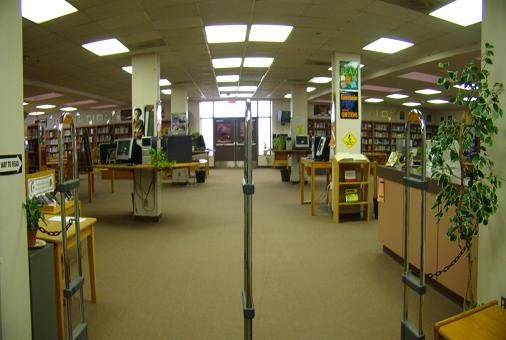
The technology mentioned in the articles are available for check out at Kimball HS Library, and I'd love to find or create lessons that would assist teachers here.
Meanwhile, I've been playing catch up between scheduled classes - where questions usually involve Microsoft Word and Powerpoint problems (easy things like: how do I change the margins or line spacing) but lately, things I find not-so-easy, like: why can't I open and use my .mov on Windows Movie Maker, why won't my .tmp file print or give me the message there isn't enough memory to print or why only the text prints. I figured out the why of the problems, but not yet the how-to-solve those problems. Are these easy? Other things I've been working on are: LAN connectivity problems in one area of the library, inventory of books, equipment, and multimedia, trying to input items which seemed to have been kicked out of the system (finding out they will check in now when two months ago we got the message: Not in system), cataloging of new items purchased...oh wait, the district equipment repair technician just dropped in...and many other tasks...school library really is interesting and fun. It's great to be a part of this time in history when there are so many new things to learn...and organize.
Just found another thing I'd like to use on my webpage: carousel widgets! See them at:
https://widgets.amazon.com/Amazon-Carousel-Widget/?id=V20070822/US/bookfizz-20/8010/e423148b-4afe-42b4-b8af-abe987c7efaf&ref=assoc_wdgt_us
One more thing for me to learn: what's a "mashup"?
Adams, Heidi and Laura Howard. "Clever Clickers: Using Audience Response Systems in the Classroom." LMC Library Media Connection, October 2009. Print.
Quinn, Mary Ellen. "Learning with Blogs: Selected blogs that will enlighten and inform every library professional," American Libraries, August/September 2009. Print.
Rice, John. "Are You Smarter Than a Whiteboard? 10 tips for IWBs in the classroom." Tech Edge, Spring 2009. Print.
(MLA Citation Style from: http://www.liu.edu/cwis/cwp/library/workshop/citmla.htm)
The technology mentioned in the articles are available for check out at Kimball HS Library, and I'd love to find or create lessons that would assist teachers here.
Meanwhile, I've been playing catch up between scheduled classes - where questions usually involve Microsoft Word and Powerpoint problems (easy things like: how do I change the margins or line spacing) but lately, things I find not-so-easy, like: why can't I open and use my .mov on Windows Movie Maker, why won't my .tmp file print or give me the message there isn't enough memory to print or why only the text prints. I figured out the why of the problems, but not yet the how-to-solve those problems. Are these easy? Other things I've been working on are: LAN connectivity problems in one area of the library, inventory of books, equipment, and multimedia, trying to input items which seemed to have been kicked out of the system (finding out they will check in now when two months ago we got the message: Not in system), cataloging of new items purchased...oh wait, the district equipment repair technician just dropped in...and many other tasks...school library really is interesting and fun. It's great to be a part of this time in history when there are so many new things to learn...and organize.
Just found another thing I'd like to use on my webpage: carousel widgets! See them at:
https://widgets.amazon.com/Amazon-Carousel-Widget/?id=V20070822/US/bookfizz-20/8010/e423148b-4afe-42b4-b8af-abe987c7efaf&ref=assoc_wdgt_us
One more thing for me to learn: what's a "mashup"?

No comments:
Post a Comment